






Databricks Guide for Data Engineers: Key Concepts, Tools, Certifications & Learning Path


Table of content
- What is Databricks?
- Important Key Points of Databricks
- About Databricks Community Edition
- What is Meant by Data Lake?
- Role-Based Databricks Adoption
- Advantages of Databricks
- Apache Spark
- When to Use Azure Databricks
- Step-by-Step Guide to Databricks
- Reading and Writing Data in Databricks
- Databricks vs. Snowflake
- Databricks Certification
- Are Databricks Easy to Learn?
- Conclusion
- FAQ
Modern enterprises generate data at unprecedented speed and scale. Traditional data platforms often fail to support real-time analytics, advanced machine learning, and collaborative workflows simultaneously. Databricks addresses this gap by offering a unified analytics platform that brings data engineering, analytics, and AI together on a single cloud-native architecture.
Built on Apache Spark and designed for cloud environments, Databricks simplifies big data processing while enabling teams to move faster from raw data to business insights.
What is Databricks?

Databricks is a cloud-based data analytics platform that enables large-scale data processing, analytics, and machine learning using Apache Spark. It provides a collaborative workspace where data engineers, data scientists, and analysts can work on the same data using notebooks, SQL, and ML tools.
At its core, Databricks implements the Lakehouse architecture, combining the scalability of data lakes with the reliability and performance of data warehouses.
Important Key Points of Databricks
- Built on Apache Spark
- Supports batch and real-time data processing
- Enables SQL, Python, Scala, and R workloads
- Uses Delta Lake for reliable data storage
- Fully managed cloud infrastructure
- Strong support for machine learning and MLOps
- Native integration with cloud platforms like Azure and AWS
About Databricks Community Edition

Databricks Community Edition is a free version designed for learners and beginners. It allows users to:
- Practice Apache Spark
- Work with Databricks notebooks
- Learn SQL, PySpark, and ML basics
- Build small projects without cloud costs
While it has limited compute power, it is ideal for early-stage learning and interview preparation.
What is Meant by Data Lake?

A data lake is a centralized repository that stores raw, structured, semi-structured, and unstructured data at scale. Unlike traditional data warehouses, data lakes do not require predefined schemas.
Databricks enhances data lakes using Delta Lake, adding:
- ACID transactions
- Schema enforcement
- Version control (time travel)
- Reliable streaming support
This evolution is what enables the Lakehouse model.
Role-Based Databricks Adoption
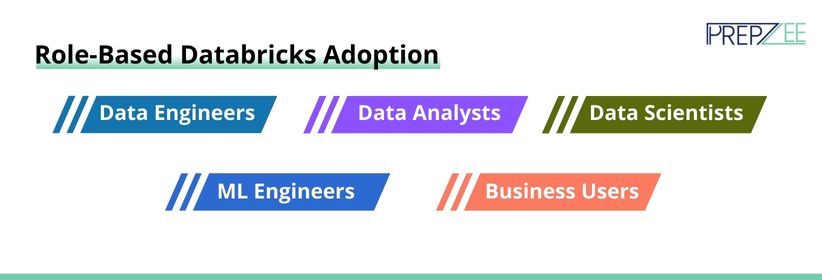
Databricks is adopted differently based on roles:
- Data Engineers: Build ETL pipelines, manage Delta tables, optimize Spark jobs
- Data Analysts: Run SQL queries, build dashboards, visualize insights
- Data Scientists: Train ML models, run experiments, track models using MLflow
- ML Engineers: Deploy and monitor models at scale
- Business Users: Consume insights via BI tools
This role-based flexibility makes Databricks highly scalable across teams.
Advantages of Databricks

- Unified platform for data + AI
- Faster processing with in-memory Spark engine
- Reduced infrastructure management
- Strong governance and security
- Cost-efficient compared to traditional systems
- Seamless collaboration across teams
Apache Spark

Apache Spark is the distributed processing engine that powers Databricks. It processes data in memory, making it significantly faster than disk-based systems like Hadoop MapReduce.
Spark Architecture Fundamentals
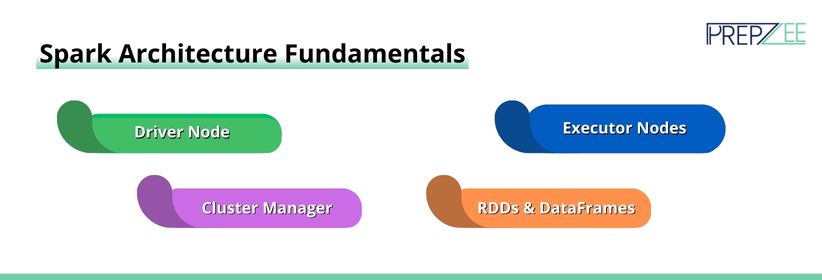
- Driver Node: Coordinates tasks
- Executor Nodes: Perform data processing
- Cluster Manager: Manages resources
- RDDs & DataFrames: Core data abstractions
Understanding Spark architecture is critical for efficient Databricks usage.
When to Use Azure Databricks

Azure Databricks is ideal when:
- Your organization uses Microsoft Azure
- You work with Azure Data Lake Storage
- You need integration with Power BI
- Security and governance via Azure Active Directory are required
- You plan to deploy ML models using Azure Machine Learning
This makes Azure Databricks certification highly valuable for Azure-focused professionals.
Step-by-Step Guide to Databricks
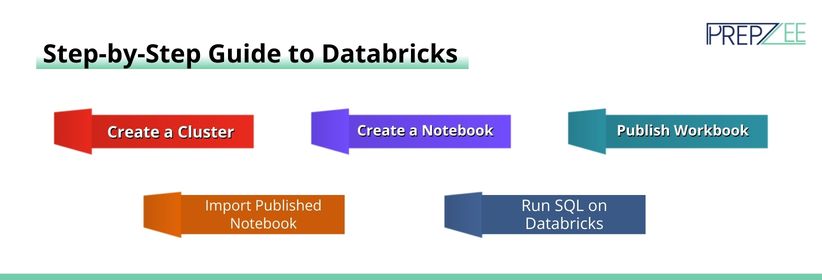
Create a Cluster
A cluster is a group of virtual machines that run Spark jobs. Users can configure:
- Node types
- Auto-scaling
- Runtime versions
Create a Notebook: Notebooks are interactive environments for writing code in SQL, Python, Scala, or R.
Publish Workbook: Notebooks can be shared or published for collaboration and reporting.
Import Published Notebook: Users can import notebooks from GitHub or shared links to reuse workflows.
Run SQL on Databricks: Databricks SQL allows querying data stored in Delta tables using ANSI SQL.
Reading and Writing Data in Databricks
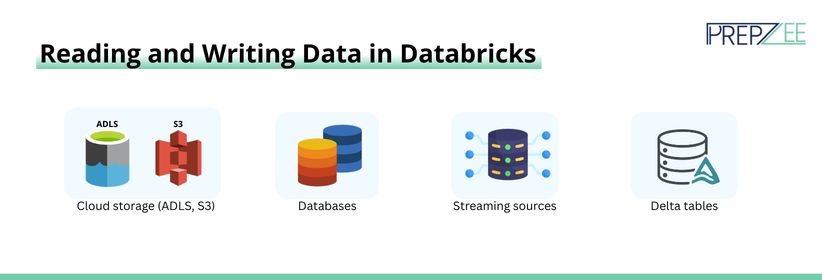
Databricks supports reading and writing data from:
- Cloud storage (ADLS, S3)
- Databases
- Streaming sources
- Delta tables
Supported formats include Parquet, CSV, JSON, Avro, and Delta.
Databricks vs. Snowflake
| Feature | Databricks | Snowflake |
| Architecture | Lakehouse | Data Warehouse |
| Use Case | Data + AI | Analytics |
| ML Support | Native | Limited |
| Streaming | Strong | Limited |
| Cost Flexibility | High | Moderate |
Databricks is preferred for AI-driven and engineering-heavy workloads.
Databricks Certification
Popular certifications include:
- Databricks Data Engineer Associate
- Databricks Data Engineer Professional
- Azure Databricks certification paths
These certifications validate real-world data engineering skills.
Are Databricks Easy to Learn?

Databricks is beginner-friendly if you know:
- SQL
- Python
- Basic data concepts
With structured Databricks training, learners can progress quickly.
Conclusion
Databricks has become a cornerstone of modern data platforms, enabling organizations to build scalable, intelligent, and real-time data systems. From big data processing to advanced machine learning, Databricks delivers unmatched flexibility and performance.
FAQ
Databricks is a unified analytics platform built on Apache Spark for data engineering, analytics, and machine learning.
It uses distributed in-memory processing to handle massive datasets efficiently.
Yes, especially with SQL and Python fundamentals
Delta Lake adds reliability, versioning, and ACID transactions to data lakes.
Yes, Databricks supports real-time collaboration via shared notebooks.


